
Switching between your organisations
If your school has more than one organisation in the Reporting Portal, you can see them all from a single login. Switch between them in a couple of clicks, without signing out and back in. Each organisation keeps its own view, so payments, reports and settings stay separate.
Switch between organisations
- Sign in to the Reporting Portal as usual.
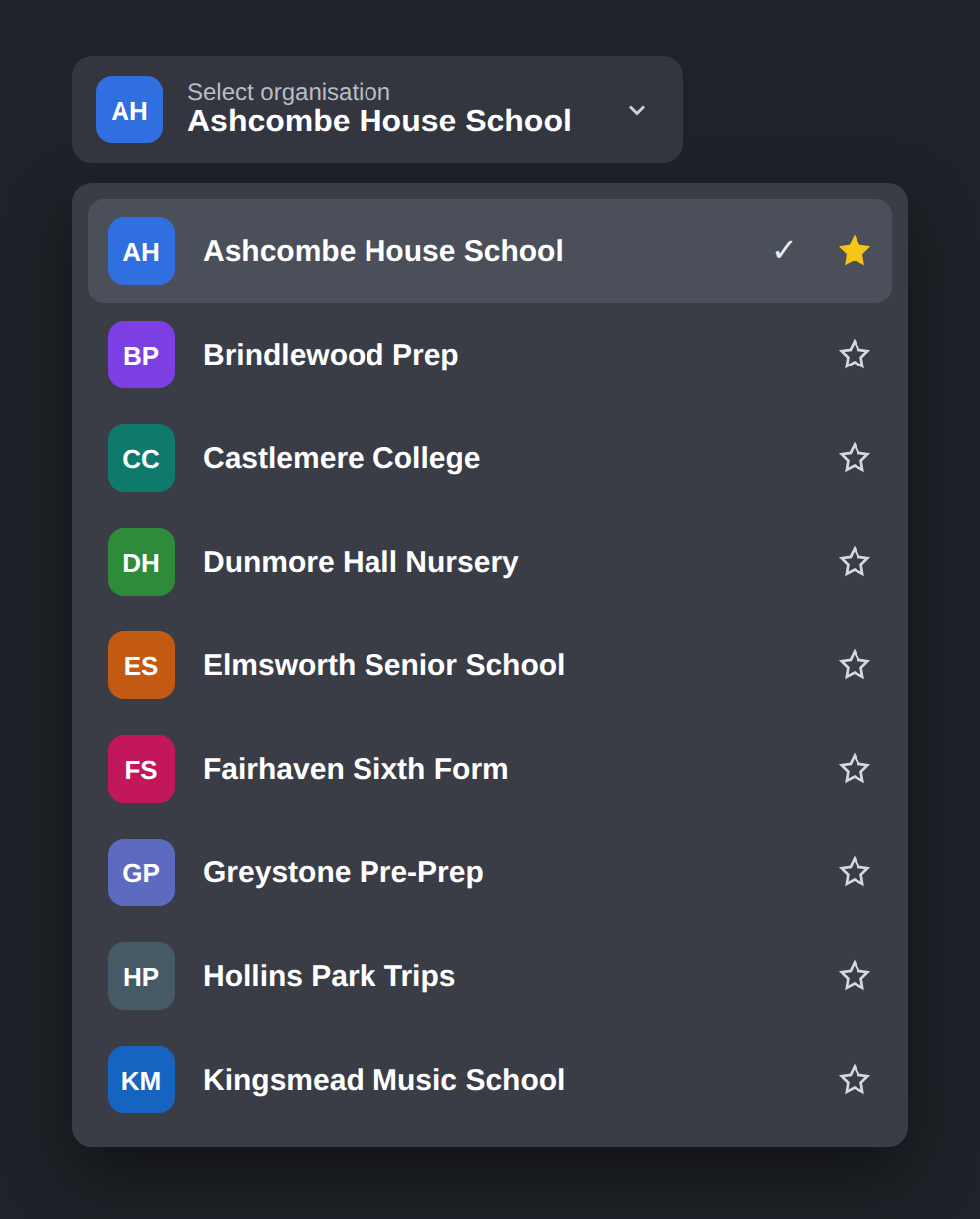
- Click the organisation name at the top left, under Select organisation.
- Choose the organisation you want from the list. The tick shows which one you're viewing.
The portal updates straight away to show that organisation's payments and reports.
Choose a favourite
Set the organisation you use most as your favourite, and it will open by default each time you sign in.
- Open the organisation list.
- Click the star next to the organisation you want. It turns yellow once it's your favourite.
To change your favourite, click the star next to a different organisation.
⚠️ Already have separate logins?
If your organisations were set up with separate esenda logins before this update, your existing logins will keep working exactly as they do now.
If you'd like them brought together under one login, contact our support team at [email protected] and we'll arrange it for you.