.png)
View Weekly Payouts
NOTE: Card payouts are made weekly, provided there is over £10 available to be paid out.
Steps
- Log in to esenda.
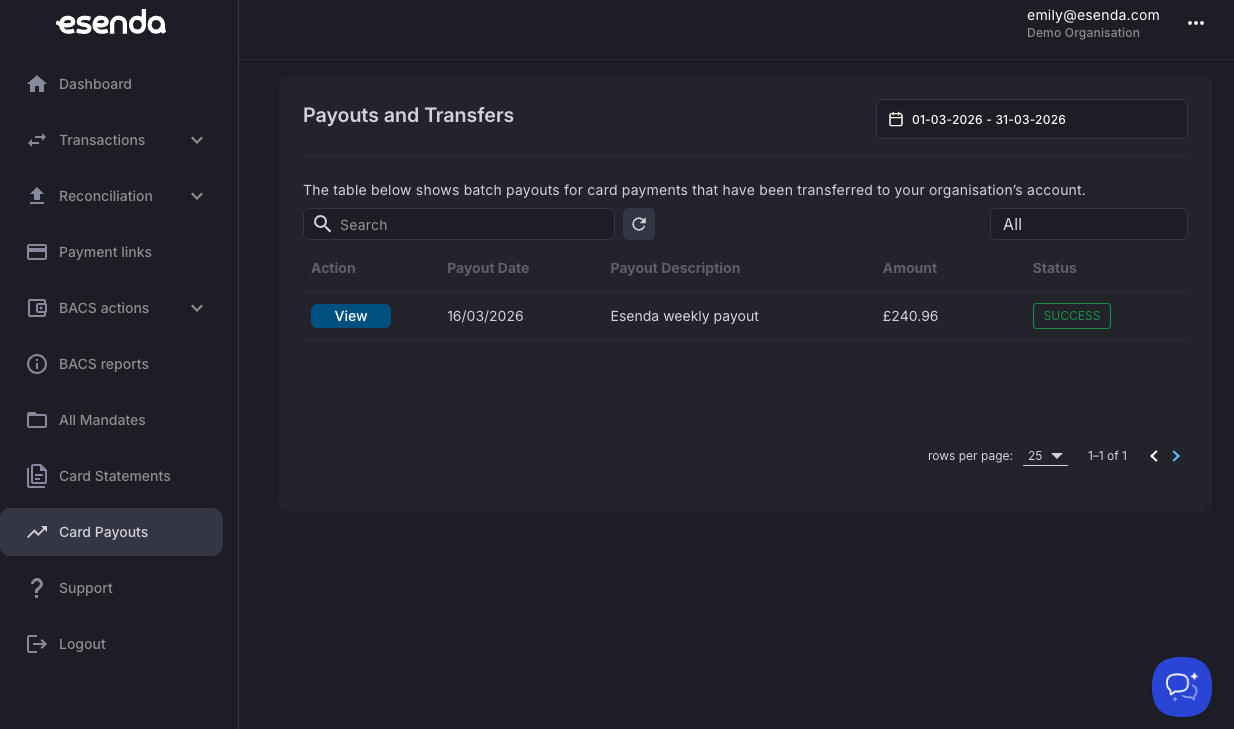
- From the menu on the left-hand side, select Card Payouts.
-
You will see a payout listed for each week where there has been over £10 available to pay out.
Note: In this example only one payout is shown, as only one has been made.
-
To view more information about a payout, click View.
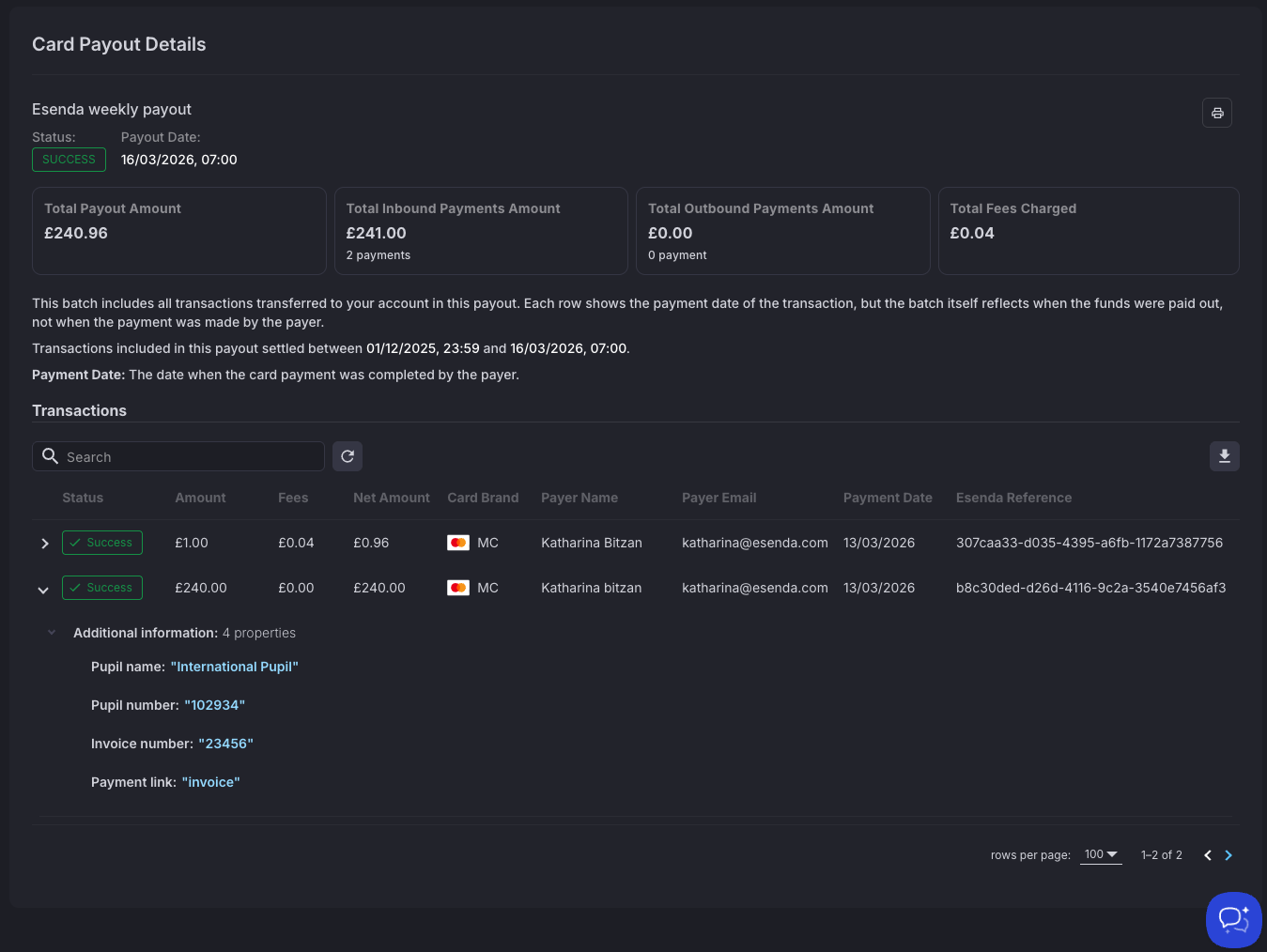
- On the payout details page, you can:
- See which payments were included in the payout
- Understand any fees associated with the payout
- Expand each transaction using the arrow on the left-hand side of the transaction
- Print the payout details using the printer icon in the top-right corner of the screen (NOTE: For the expanded details to be included in the print out, they must be expanded within the table)
- Export the payout details using the CSV Export button in the top-right corner of the table
Note
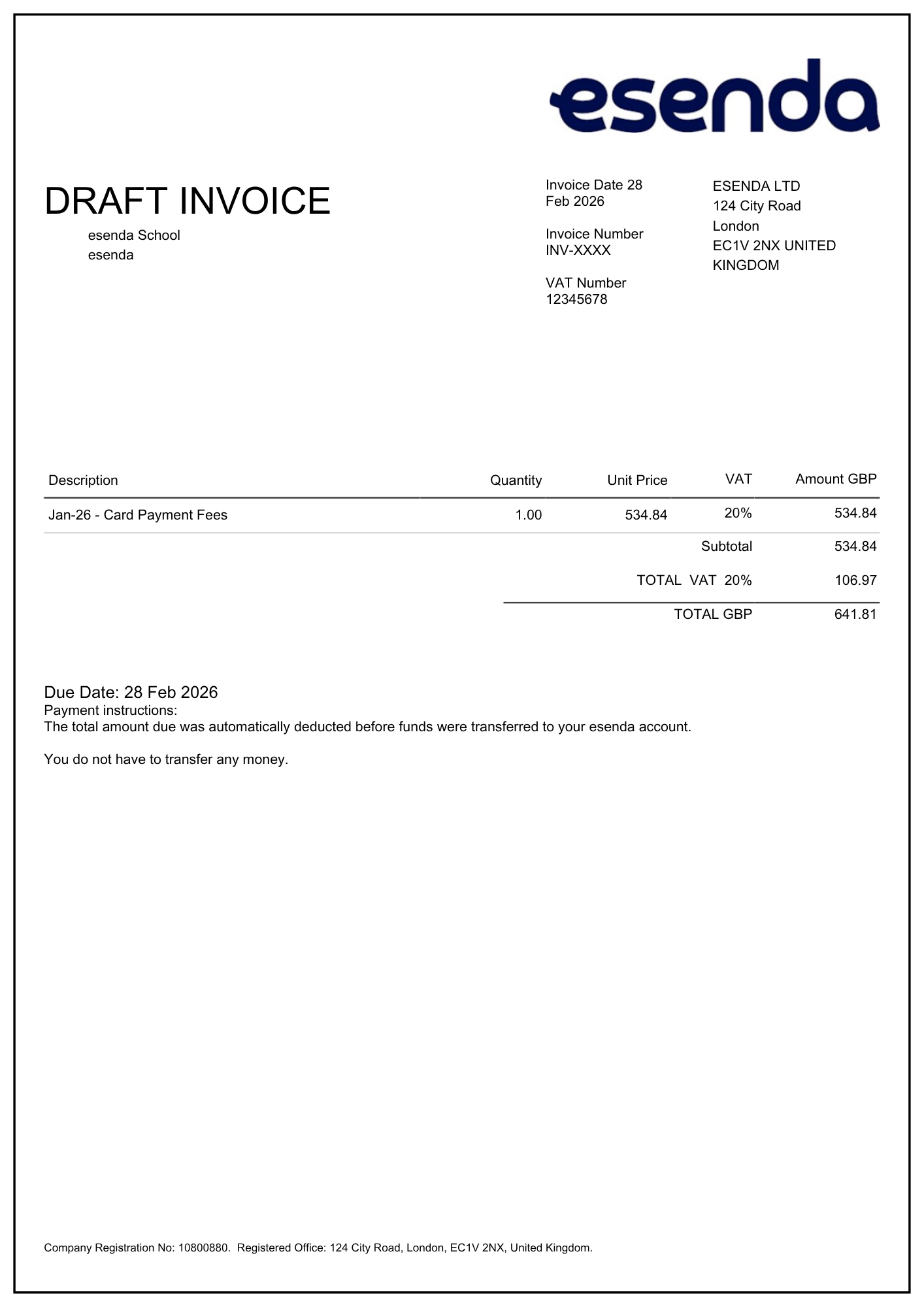
Each client will also receive a monthly invoice by email, like the one shown below. This invoice includes the relevant VAT information, as shown in the example below.
These invoices are already settled and are provided for VAT information only.
Card statements can be found in the Card Statements menu within esenda.